Feature: Samples

Send samples to every creator in one go

Pick the product, check stock and place one order per creator in your Shopify store, then watch each parcel come back with its tracking.

Example
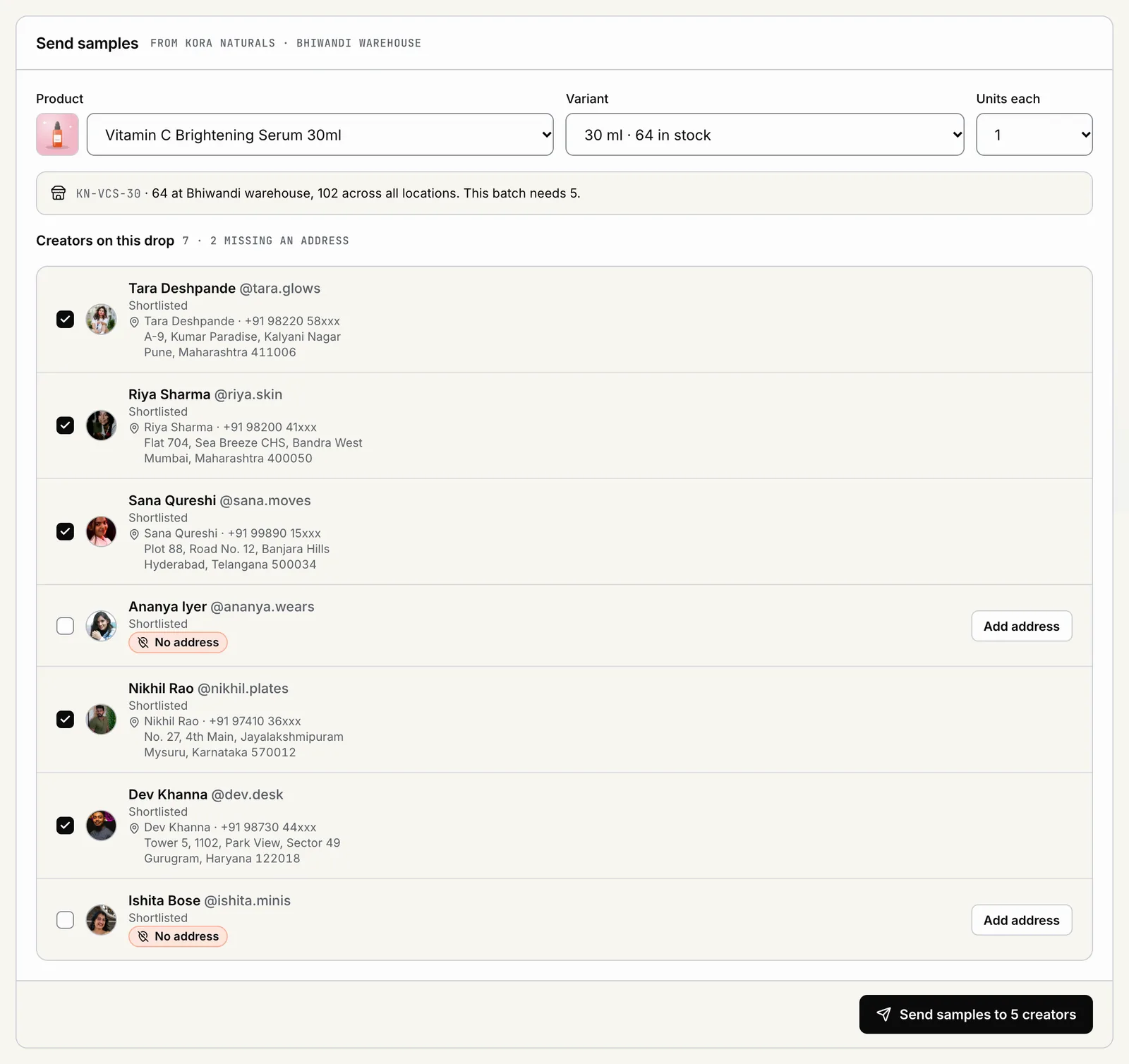
POPVERSE samples tab with a product and variant picker, stock, and creators with their addresses
  • Addresses, one DM at a time. You chase every creator for a pincode and a phone number.
  • Orders typed by hand. Someone keys each sample into Shopify and hopes nothing is mistyped.
  • Parcels go dark. Once it ships, nobody knows which creator has their product.

From your catalog to the creator's door, without a spreadsheet in between.

01

Pick from your catalog

  • Product and variant. Choose the product and the exact variant, size or shade, straight from your Shopify catalog.
  • Stock checked first. POPVERSE checks stock for the whole batch before any order is placed, so you do not ship to half your creators.
  • One review, then go. See every creator, address and item in one preview. Approve once.
Example
POPVERSE samples tab with a product and variant picker, stock, and creators with their addresses
02

One order per creator

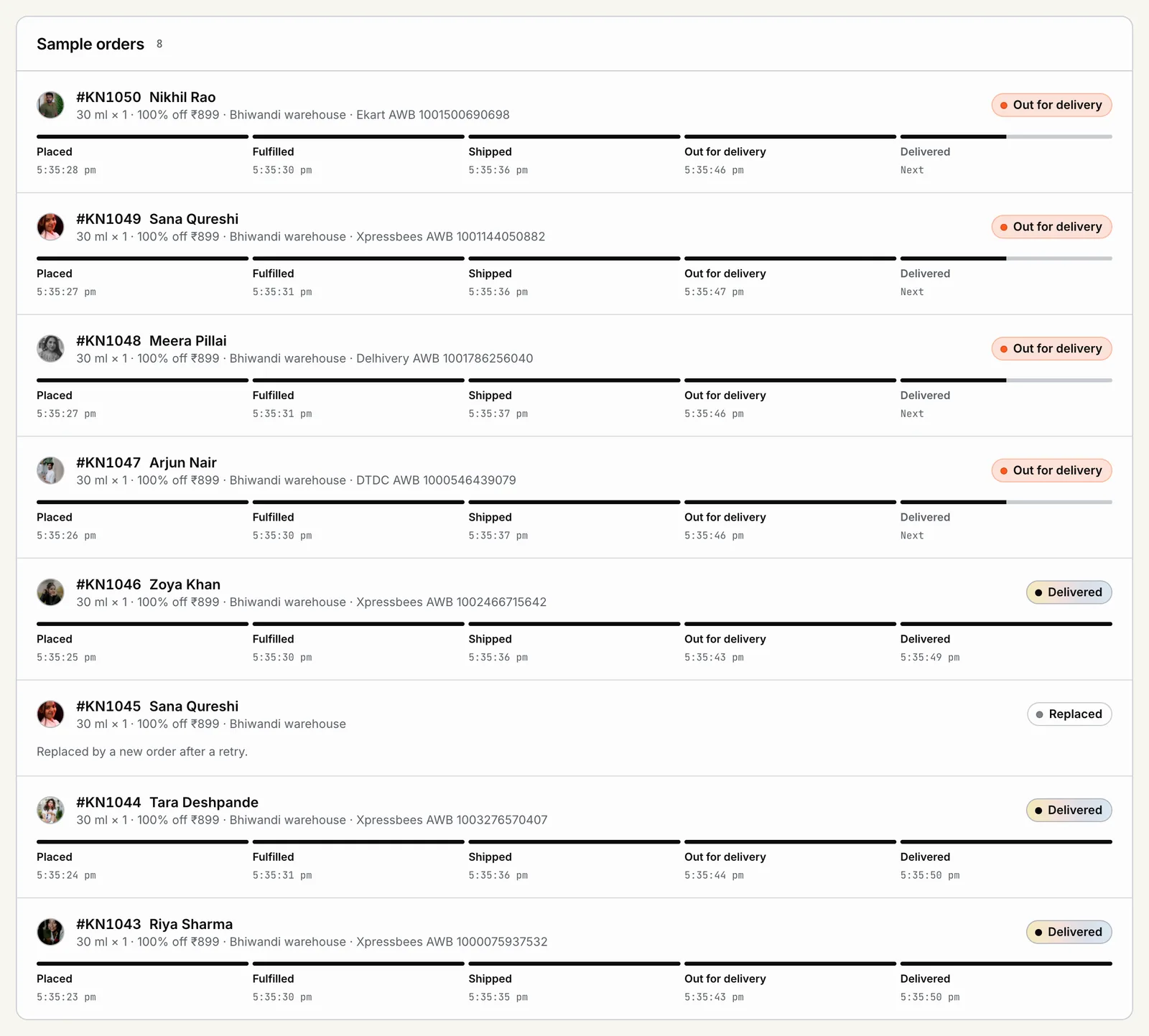
  • A real order in your store. Each creator gets their own order in Shopify, with no charge to the creator and free shipping on the order.
  • Tagged for you. Every sample order carries a POPVERSE tag, so your team can find and fulfil them in the usual way.
  • No double orders. Each creator gets one sample order per drop, even if a step is retried. Pause a batch or resume it while orders go out.
Example
POPVERSE sample orders with a Shopify order per creator and parcel progress from placed to delivered
03

Addresses and tracking

  • Saved on each creator. A creator can keep their address on their account. Ask for it with one click if it is missing.
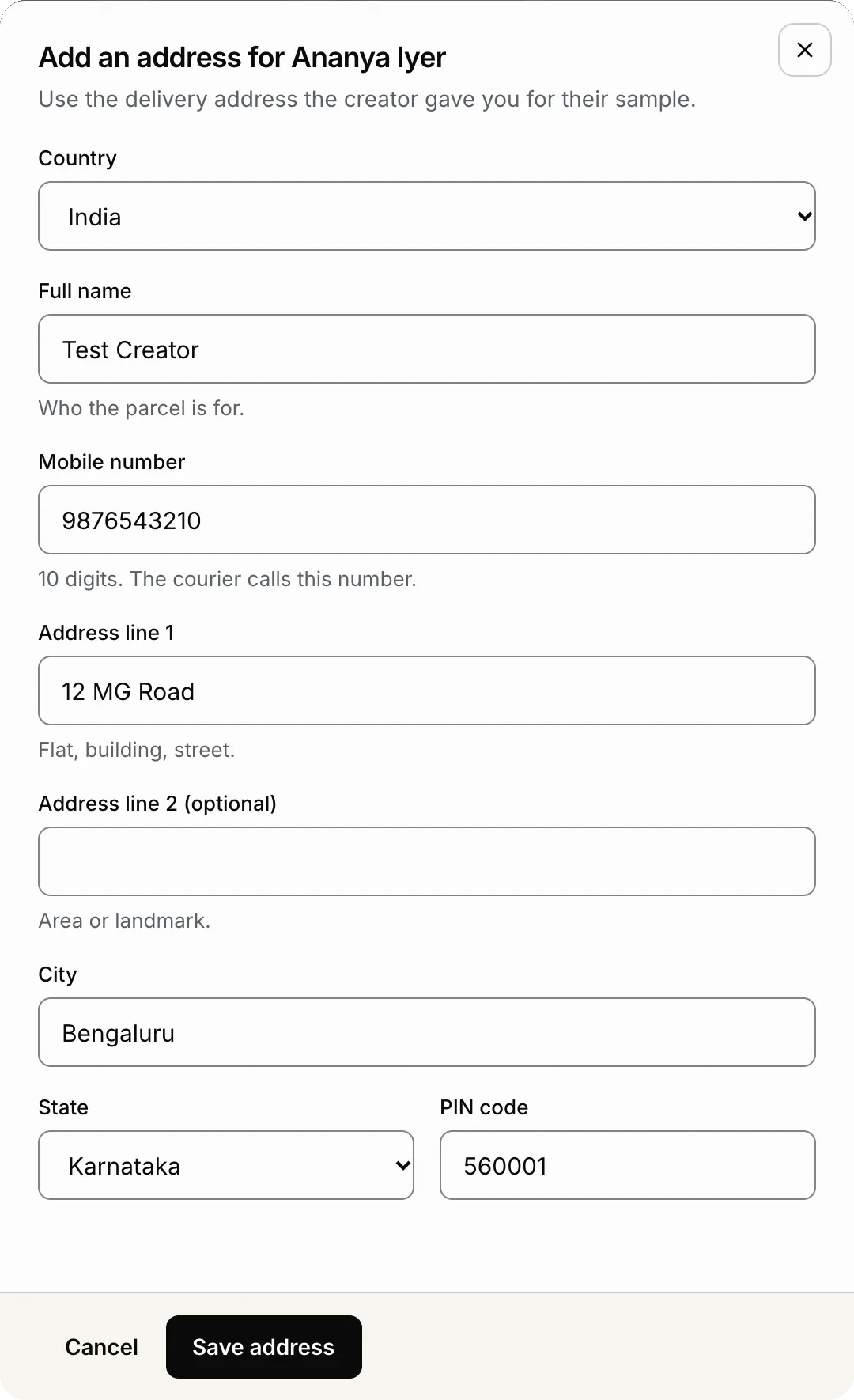
  • Or enter it yourself. Enter the address on that creator's row. It is used for this drop only and never saved to their account.
  • Tracking per creator. When your store fulfils the order, the tracking number and link come back to that creator's row.
Example
POPVERSE dialog to add a delivery address for a creator, with name, mobile number, city, state and PIN code

Also included

  • Works with Shopify.

    Connect your store in a few steps from the Shopify app.

  • Without Shopify.

    Ship the parcel your own way and mark it shipped in POPVERSE.

  • Addresses kept private.

    Only teammates who can send samples see full addresses, and every view is logged.

Why POPVERSE

Samples, without and with POPVERSE

Without POPVERSE

  • Chasing each creator for an address
  • Sample orders keyed in by hand
  • Shipping to creators whose shade is out of stock
  • Duplicate parcels after a retry
  • No idea which parcel reached whom

With POPVERSE

  • Address on the creator's row, or one request away
  • One tagged order per creator from one approval
  • Stock checked for the whole batch first
  • One sample order per creator per drop
  • Tracking back on each creator's row

Made for you if

  • You sell on Shopify and ship physical products
  • You send samples to many creators at once
  • Your ops team fulfils orders in Shopify today
  • You want to stop collecting addresses over DMs
  • You need to know who has their product before filming starts
FAQ

Questions brands ask

Bulk sample orders work with Shopify stores. If you are not on Shopify, ship the parcel your own way and mark it shipped in POPVERSE, so the creator's row stays up to date.

Your catalog to every creator, in one approval

Pick the product, check the preview, send.